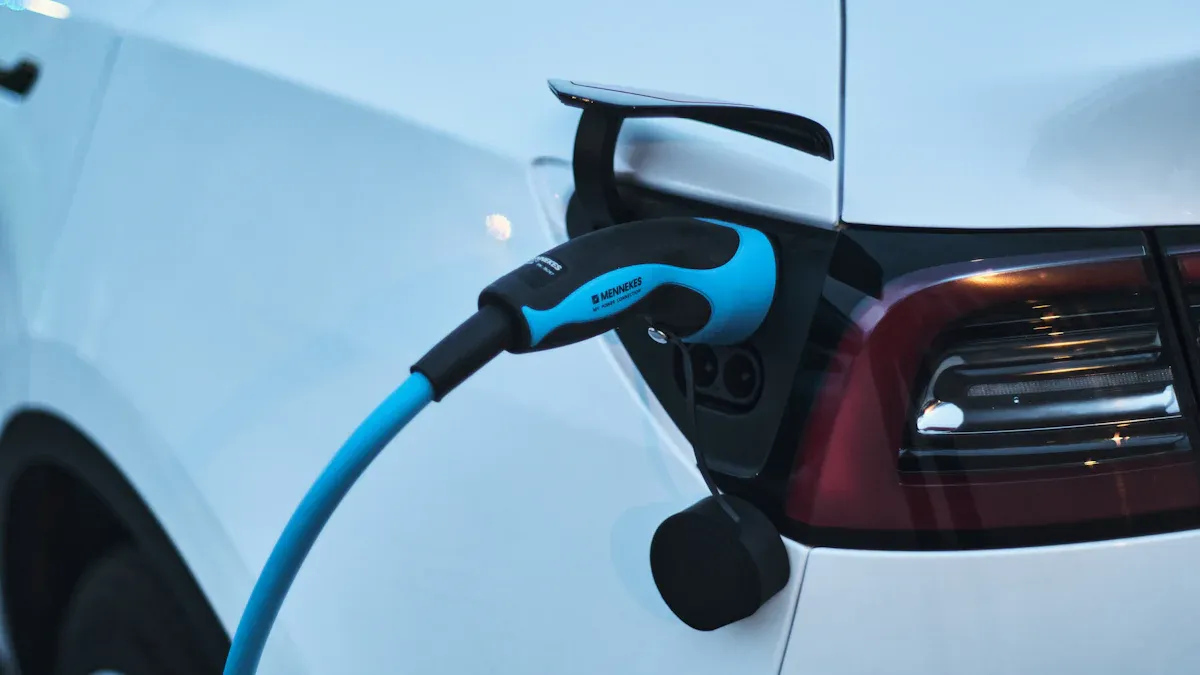
The 80/20 charging rule, also known as the 20-80 rule, guides users to keep their battery charge between 20% and 80% rather than allowing it to drop to 0% or reach 100%. This approach helps minimize voltage stress and chemical wear inside the battery. Studies show that using this method can double battery cycle life. Whether using an Зарядное устройство для электромобилей из ведущих Производители зарядных устройств для электромобилей, exploring Решения для зарядки электромобилей, or relying on портативные зарядные устройства, maintaining this range supports optimal performance and long-term reliability.
80/20 Charging Rule Explained
What Does the 80/20 Charging Rule Mean?
Charging Range and Battery Basics
The 80/20 charging rule describes a practice where users keep their battery charge between 20% and 80%. This approach avoids the extremes of letting the battery drop to zero or reach a full charge. Many experts refer to this as the 20-80 rule. The main goal is to protect the battery from unnecessary stress. When a battery stays within this ideal charge range, it operates in what engineers call the sweet spot. This range helps maintain battery health and supports consistent performance over time.
Why Not Charge from 0% to 100%?
Charging a device from 0% to 100% may seem convenient, but it can harm the battery. When the charge drops below 20%, the battery experiences deep discharge. This condition increases internal resistance and can cause permanent loss of capacity. Charging above 80% exposes the battery to high voltage, which leads to chemical reactions that reduce its lifespan. The 20-80 rule helps users avoid these risks. By following this rule, users can extend the life of their devices and reduce the need for frequent battery replacements.
The Science Behind the 20-80 Rule
Lithium-Ion Battery Chemistry
The 20-80 rule is based on how lithium-ion batteries work. These batteries power most modern devices, including smartphones, laptops, and electric vehicles. Charging outside the ideal charge range causes chemical changes that damage the battery. The table below shows what happens inside a lithium-ion battery at different charge levels:
| Состояние заряда (SOC) | Chemical Change Description |
|---|---|
| High (80–100%) | Increases cell voltage, leading to electrolyte oxidation and lithium plating, which reduces capacity retention and poses safety risks. |
| Low (0–20%) | Causes instability in the anode structure, increases internal resistance, and results in permanent capacity loss. |
Staying within the sweet spot of 20% to 80% helps prevent these harmful changes. This practice keeps the battery stable and reliable.
Industry Recommendations
Major device manufacturers support the 20-80 rule. They offer clear guidelines to help users protect their batteries:
- Charge your EV battery when it hits 10%.
- Recharge up to 80%.
- Maintain the state of charge between 50%-80%.
These recommendations show that the 80/20 charging rule is not just a suggestion but a standard for battery care. Following these steps helps users get the most out of their devices and ensures long-term performance.
Why the 80/20 Charging Rule Matters
Battery Health Benefits
Reducing Battery Wear
Сайт правило 20-80 plays a critical role in battery degradation prevention. By keeping the battery’s state of charge between 20% and 80%, users reduce stress on the battery cells. This practice limits the number of high-voltage and deep-discharge events, which are the main causes of wear. Regularly charging to 100% or allowing the battery to drop to 0% can lead to faster degradation. The final 20% of charging is less efficient and increases the risk of chemical changes that harm the battery. Most electric vehicle manufacturers and device makers recommend the 20-80 rule to protect long-term battery health.
- Keeping the charge between 20% and 80% reduces strain on battery cells.
- The 20-80 rule helps prolong battery life by avoiding full charges and deep discharges.
- Stopping at 80% makes charging more practical and efficient.
Preventing Overcharging and Deep Discharge
Overcharging and deep discharge both accelerate battery wear. When a battery charges above 80%, it faces high voltage stress, which can cause internal corrosion and reduce capacity retention. Deep discharge, when the charge drops below 20%, leads to deep discharge degradation and permanent loss of battery capacity. The 20-80 rule helps users avoid these extremes, supporting battery longevity and consistent performance.
Note: The table below summarizes the measurable benefits of keeping the charge between 20% and 80%.
| Выгода | Описание |
|---|---|
| Improved battery health | Keeping charge between 20% and 80% helps maintain battery longevity. |
| Reduced charging time | Charging is more efficient when the battery is not nearly full. |
| Enhanced efficiency during charging | Charging slows down after 80%, making it easier to charge when a bit empty. |
Extending Battery Lifespan
Avoiding High Voltage Stress
The 80/20 charging rule helps users avoid high voltage stress, which is a leading cause of lithium-ion battery degradation. High voltage and load can cause electrolytic decomposition, leading to battery puffing and internal corrosion. Overcharging increases internal pressure and temperature, which accelerates wear and tear on battery components. Limiting the maximum charge to 80% reduces voltage stress on battery cells, extending overall lifespan by slowing down degradation.
- Effective control of charging voltage ensures the battery operates within a safe range.
- This practice optimizes lithium-ion battery lifespan by preventing accelerated wear and tear.
Maintaining Long-Term Performance
Maintaining the charge within the 20-80 rule supports long-term performance and cycle life impact. Shallow discharge cycles, where the battery does not reach extreme high or low states, help preserve capacity retention. This approach allows the battery to deliver reliable performance over many charge and discharge cycles. Users who follow the 20-80 rule experience fewer drops in battery health and enjoy longer device usability. The rule supports the natural chemistry of lithium-ion batteries, ensuring stable operation and extended cycle life.
How to Use the 80/20 Charging Rule in Daily Life

Practical Charging Habits
Setting Charging Limits on Devices
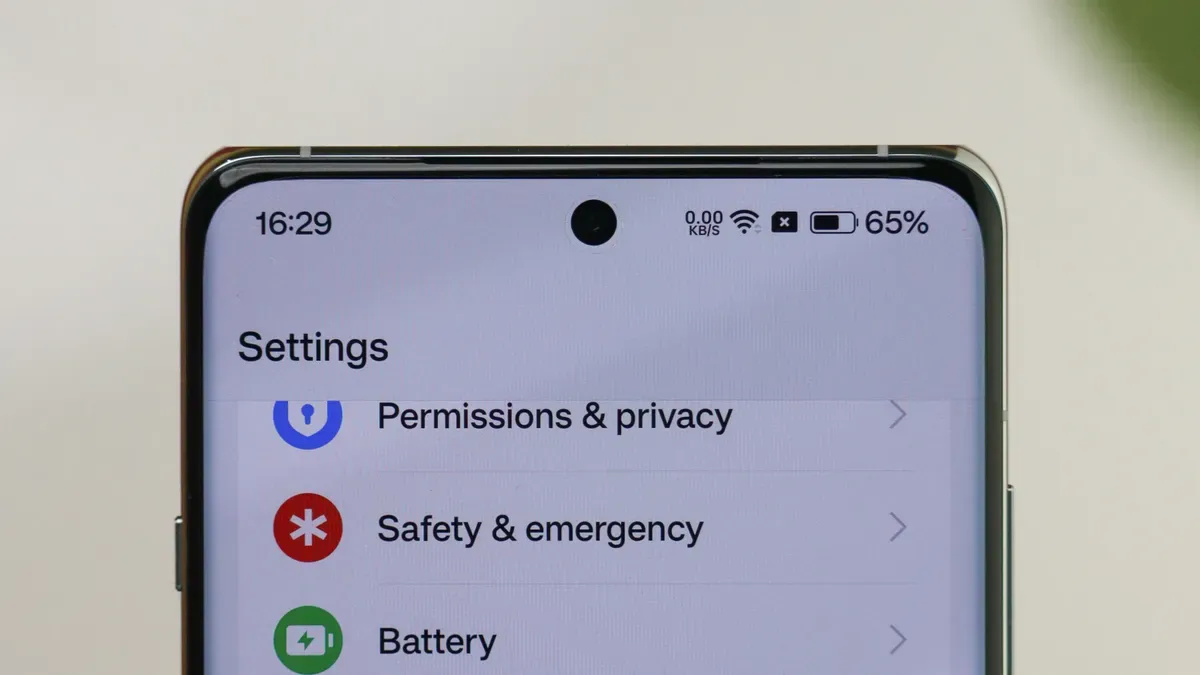
Many modern devices offer settings that help users follow the 20-80 rule. Setting an automatic 80% charging limit prevents the battery from reaching full charge, which reduces chemical stress and supports battery degradation prevention. Users can often find these options in device settings or through manufacturer apps. By enabling optimized battery charging, the device will stop charging at 80%, even if left plugged in overnight. This approach helps maintain lithium-ion battery lifespan and ensures the device remains ready for daily use.
- Charge the device to around 80% to minimize thermal stress and avoid excess heat.
- Plug in the device when it drops to about 20% to prevent low voltage and maintain battery chemistry.
- Avoid charging to 100% regularly, as this increases cell voltage and can lead to capacity loss.
These charging practices help users extend battery life and improve efficiency.
Using Built-In Features and Apps
Manufacturers have introduced smart charging features to make following the 20-80 rule easier. Optimized battery charging and adaptive charging use artificial intelligence to learn user habits and adjust charging patterns. For example, a smartphone may delay charging past 80% until just before the user wakes up. Many laptops and electric vehicles also offer similar features. Users can activate these settings in the device’s power management menu or download apps that monitor charging cycles. These tools help automate the process and ensure consistent adherence to the rule.
Tip: Enable optimized battery charging or adaptive charging in device settings to automate the 20-80 rule and reduce manual monitoring.
Exceptions to the 20-80 Rule
Preparing for Long Trips or Emergencies
Certain situations require flexibility with the 20-80 rule. When preparing for a long trip or emergency, users may need a full charge to maximize device runtime. Charging to 100% ensures the device or vehicle can operate for extended periods without access to power. However, this should remain an exception rather than a routine practice. Returning to the 20-80 rule after the event helps preserve battery health.
Device-Specific Needs and Situations
Some devices have unique requirements that may not align perfectly with the 20-80 rule. Medical equipment, backup power banks, or devices used in critical applications may need to stay fully charged for safety reasons. In these cases, users should follow manufacturer guidelines and use optimized battery charging features when possible. Regularly reviewing device recommendations ensures the best balance between performance and longevity.
| Сценарий | Recommended Charging Approach |
|---|---|
| Daily device use | Follow the 20-80 rule |
| Long trips or emergencies | Charge to 100% as needed |
| Critical or medical devices | Follow manufacturer’s instructions |
By adopting these strategies, users can enjoy the benefits of optimized battery charging while adapting to real-world needs.
Device-Specific Tips for the 20-80 Rule
Smartphones and Tablets
Optimized Charging Settings
Smartphones and tablets benefit from optimized battery charging features. Many manufacturers include settings that allow users to limit charging to 80%. These settings help maintain lithium-ion battery lifespan by reducing voltage stress and preventing unnecessary full charges. Users should enable adaptive charging modes, which adjust charging speed based on usage patterns. This approach supports shallow discharge cycles and keeps the battery within the ideal range. Overnight charging with slow chargers is recommended, as it minimizes heat and chemical wear.
- Keep battery charge between 20% и 80% for optimal health.
- Use slow charging to prevent excessive heat and degradation.
- Recharge before the battery is fully discharged.
Tip: Enable optimized battery charging in device settings to automate the process and reduce manual monitoring.
Recommended Apps and Tools
Several apps help users manage charging practices. These tools monitor battery levels and send alerts when the charge approaches 20% or 80%. Some apps integrate with device settings to activate optimized battery charging automatically. Users can select apps that support adaptive charging and provide detailed battery health reports. These tools enhance efficiency and simplify battery management.
Электромобили (EV)
Charging Station Practices
Owners of electric vehicles should follow specific charging practices to maximize battery health. TPSON, a technologically advanced EV charging solution provider, recommends maintaining battery charge between 20% and 80%. Charging in small amounts for daily use keeps the battery within this range and supports lithium-ion battery lifespan. Drivers should avoid unnecessary charging if daily mileage is low. This strategy reduces wear and extends cycle life.
- Поддерживайте уровень заряда аккумулятора в диапазоне 20% и 80%.
- Charge in small amounts for daily use.
- Avoid unnecessary charging when not needed.
Системы управления аккумуляторами
A battery management system in an EV enforces the 80/20 rule by keeping charge levels within the optimal range. This system enhances charging efficiency and extends battery lifespan. It prevents energy wastage that occurs at higher charge levels. The battery management system monitors voltage, temperature, and charge cycles to ensure safe operation. TPSON integrates advanced battery management systems in its EV charging solutions to support long-term reliability.
Laptops and Other Devices
Power Management Features
Laptops and other portable devices rely on power management features to maintain battery health. Users should keep the charge between 40% and 70% for longevity. Many devices offer settings for optimized battery charging, which limit maximum charge and reduce voltage stress. Shallow discharge cycles help preserve lithium-ion battery capacity and extend cycle life.
| Device Type | Optimal Charging Habit |
|---|---|
| Laptops | Keep charge between 40% and 70% for longevity. |
| Smartphones/Tablets | Overnight charging with slow chargers is recommended. |
| Электромобили | Follow the правило 20-80 for everyday driving. |
Рекомендации производителя
Manufacturers provide guidelines for charging practices. Users should review these recommendations and enable optimized battery charging features. Following manufacturer instructions ensures the battery operates within safe limits and supports lithium-ion battery lifespan. Lifepo4 batteries, commonly used in portable devices, benefit from these practices. Regularly updating device firmware and monitoring battery health help maintain performance.
Note: Lifepo4 batteries require careful charging management to maximize cycle life and efficiency.
Common Misconceptions About the 80/20 Charging Rule
Charging to 100% Is Always Best
Why Full Charges Aren’t Necessary
Many users believe that charging devices to 100% is essential for optimal performance. This misconception persists despite advances in battery technology and battery management system design. Lithium-ion batteries experience the most stress between 80–100% and 0–20%. Stopping at 80% can extend cycle life by 30–40%. Both Apple and Samsung recommend keeping the charge between 20% and 80% for maximum battery health. Charging to 100% is safe, but not necessary every day. Modern smartphones and EVs switch to maintenance mode once they reach full charge, which helps prevent overcharging. Regularly charging to 100% can increase battery wear, especially if the device remains unused for long periods. Charging to around 80% or 90% for daily use is often sufficient. Leaving a battery at full charge for extended periods accelerates degradation, particularly in warm conditions.
Prolonged time at 100% charge, especially in warm environments, increases wear and reduces battery lifespan.
The optimized battery charging feature in many devices helps users avoid unnecessary full charges. This feature supports shallow discharge cycles and maintains battery health. Lifepo4 batteries also benefit from this practice, as they do not suffer from the memory effect. Users should rely on optimized battery charging and avoid charging to 100% unless necessary for specific situations, such as preparing for a long trip with an electric vehicle.
Letting Batteries Drain Completely
Risks of Deep Discharge
Some users think that letting batteries drain completely before charging improves performance. This belief stems from older battery technologies, but it does not apply to modern lithium-ion or lifepo4 batteries. Running a phone or EV until it is dead—a full discharge—is not recommended. Partial discharge is preferred, and charging between 30% and 80% can increase battery lifespan.
- Reduced Capacity Over Time: The battery’s ability to hold a charge diminishes faster.
- Permanent Cell Damage: Prolonged low voltage can render the battery unusable.
- Safety Concerns: Extremely low voltages can destabilize the battery’s internal structure, increasing risks like swelling or overheating.
Deep discharge places significant stress on internal components, leading to earlier failure. Higher depth of discharge results in a shorter battery lifespan. Lifepo4 batteries can support higher depth of discharge with minimal impact, but shallow discharge cycles remain the best practice for longevity. The battery management system in EVs prevents deep discharge and protects the battery from permanent damage.
Fast Charging Always Harms Batteries
Understanding Modern Fast Charging
Fast charging technology has evolved significantly in recent years. Many believe that fast charging always harms batteries, but modern systems use advanced methods to mitigate potential damage. Improved cell chemistry, such as NMC refinements, and enhanced cooling systems help manage heat and stress. Charge taper algorithms and smart thermal management adjust input power during charging, ensuring safety and efficiency.
- Improved cell chemistry (NMC refinements)
- Enhanced cooling systems
- Charge taper algorithms
- Smart thermal management
- Intelligent adjustment of input power during charging
EVs and lifepo4 batteries benefit from these innovations. The battery management system monitors temperature and voltage, preventing overheating and excessive wear. Optimized battery charging features in smartphones, laptops, and electric vehicles further protect battery health. Shallow discharge cycles and smart charging practices ensure long-term reliability and performance.
80/20 Charging Rule: Frequently Asked Questions
Is the 80/20 charging rule right for all devices?
The 20-80 rule offers a practical guideline for most modern devices, including smartphones, laptops, and evs. Many experts recommend keeping the battery charge between 40% and 80% for optimal results. This approach reduces stress on battery cells and supports longer device reliability. Users of lifepo4 batteries in evs, portable power stations, and backup systems can benefit from this practice. The 20-80 rule helps extend battery lifespan and ensures consistent performance across a wide range of devices.
- Сайт 40-80 rule suggests maintaining battery charge between 40% and 80%.
- Avoiding discharges below 40% and charges above 80% helps reduce stress on battery cells.
- This practice can extend the battery’s lifespan and improve reliability.
Device manufacturers often provide specific recommendations for their products. Users should consult the manual or support resources for device-specific guidance, especially for lifepo4-powered evs and energy storage systems.
What if I occasionally break the 20-80 rule?
Occasional deviations from the 20-80 rule do not cause immediate harm to the battery. In fact, charging outside this range from time to time can help recalibrate the battery’s software, ensuring accurate charge estimates. However, frequent or consistent charging to 100% or allowing the battery to drop below 20% increases stress on the internal chemistry. Over time, this can accelerate battery degradation, especially in lifepo4 batteries used in evs and renewable energy applications.
- Occasionally breaking the 20-80 charging rule can help recalibrate the battery’s software for accurate charge estimates.
- Consistent deviation from this rule can lead to increased battery degradation over time due to stress from higher voltages and heat.
- Lithium-ion batteries operate best within a specific charge range, and avoiding extremes reduces stress on the battery’s internal chemistry.
Users should aim to follow the 20-80 rule for daily charging, especially for lifepo4-powered evs, but need not worry about rare exceptions.
Can I use my device while charging?
Using a device during charging is common, but users should take steps to minimize battery wear. Maintaining a cool battery is crucial for its longevity. Avoiding heat while charging can significantly impact battery health. Simple practices like not charging on soft surfaces and removing cases can help keep the battery temperature down. Lifepo4 batteries in evs and portable devices benefit from these habits, as excess heat can shorten their lifespan.
| Device Type | Лучшая практика |
|---|---|
| Smartphones | Charge overnight using slow chargers; use fast charging sparingly. |
| Laptops | Maintain charge between 40% and 70% for optimal longevity. |
| Электромобили | Follow the 20-80 rule for daily use; reserve full charges for long trips only. |
- Keep battery charge между 20% и 80% to minimize stress and heat.
- Avoid charging on hot surfaces to prevent overheating.
- Remove thick cases while charging to allow heat dissipation.
- Refrain from intensive activities while charging to reduce additional heat.
Following these best practices supports battery health and extends the service life of lifepo4 batteries in evs and other devices.
How do I check my battery’s health?
Users often want to know if their battery remains in good condition. Most modern devices provide built-in tools that display battery health status. For smartphones, users can access battery settings to view information about maximum capacity and performance. Electric vehicle owners rely on dashboard displays or dedicated apps to monitor battery health and estimate remaining cycle life. Laptops typically offer battery diagnostics through system settings or manufacturer software.
Many devices use a simple indicator, such as a percentage or a health rating. This value shows how much the battery can hold compared to its original capacity. When the number drops below 80%, users may notice shorter runtimes and reduced performance. Lifepo4 batteries, which power many EVs and portable devices, often include advanced monitoring systems. These systems track voltage, temperature, and charge cycles to ensure safe operation.
Tip: Regularly checking battery health helps users identify early signs of degradation and plan for maintenance or replacement.
Some devices allow users to run a battery report. This report lists recent charging cycles, average capacity, and any detected issues. For EVs, the battery management system provides detailed insights into lifepo4 battery health, including cycle count and charging history. Portable power stations with lifepo4 batteries often feature LCD screens that display real-time health metrics.
| Device Type | How to Check Battery Health |
|---|---|
| Smartphone | Battery settings or health menu |
| Laptop | System diagnostics or manufacturer tools |
| EV | Dashboard display or dedicated app |
| Power Station | LCD screen or app interface |
Are there apps or tools to help manage charging?
Managing charging habits becomes easier with the right apps and tools. Several solutions help users follow the 80/20 rule and optimize battery health, especially for lifepo4 batteries in EVs and portable devices.
- Wallbox offers smart charging features and works with TOU apps to schedule charging sessions.
- MyEnergi Zappi allows users to set charging schedules and supports TOU tariffs for cost savings.
- EO Charging provides tools for effective charging time management.
- Tesla app enables users to monitor and adjust EV charging directly from their smartphone.
- BMW app delivers similar functionality, letting users manage EV charging remotely.
These apps help users automate charging routines, prevent overcharging, and maintain the ideal battery range. Lifepo4 battery owners benefit from these tools by reducing stress on the battery and extending cycle life. Many apps send notifications when charging reaches 80% or drops below 20%, making it easier to follow best practices.
Note: Smart charging apps and tools support battery health by simplifying the process of maintaining optimal charge levels.
Some portable devices with lifepo4 batteries include built-in charging management features. These features automatically stop charging at 80% and alert users when the battery needs recharging. EV owners can use manufacturer apps to schedule charging during off-peak hours, saving money and reducing battery wear.
Apps and tools play a vital role in supporting battery longevity and efficient charging practices. Users who rely on lifepo4 batteries in EVs, laptops, and power stations gain peace of mind knowing their devices operate within safe limits.
Following the 80/20 charging rule helps users maximize battery health and efficiency. Lifepo4 technology stands out for its stability and long cycle life, especially when users avoid charging extremes. For daily use, they should:
- Set charging limits to keep lifepo4 batteries between 20% and 80%.
- Use device features or apps that support lifepo4 battery management.
- Check manufacturer guidelines for lifepo4-powered devices.
Adopting these habits ensures lifepo4 batteries deliver reliable performance and extended lifespan.
ЧАСТО ЗАДАВАЕМЫЕ ВОПРОСЫ
Is the 80/20 charging rule suitable for all devices?
Most modern devices benefit from the 80/20 charging rule. Manufacturers recommend this practice for smartphones, laptops, and electric vehicles. Users should check device manuals for exceptions or specific guidelines.
What happens if someone charges to 100% occasionally?
Occasional full charges do not cause significant harm. Frequent charging to 100% accelerates battery wear. Users should reserve full charges for special situations, such as travel or emergencies.
Can someone use a device while charging?
Device use during charging is safe. Excessive heat can reduce battery lifespan. Users should avoid intensive tasks and remove thick cases to help dissipate heat.
How can users monitor battery health?
Most devices provide battery health information in settings or through manufacturer apps. Electric vehicles and laptops often include diagnostic tools. Regular checks help users spot early signs of battery degradation.
Are there apps to help manage charging habits?
Many apps and built-in features automate charging limits. These tools send alerts when the battery reaches 80% or drops below 20%. Users can schedule charging sessions and monitor battery health.
Does fast charging always damage batteries?
Modern fast charging systems use advanced technology to protect batteries. Battery management systems control voltage and temperature. Occasional fast charging is safe, but regular use may increase wear.
Should someone let batteries drain completely before charging?
Deep discharge harms lithium-ion batteries. Users should recharge before the battery drops below 20%. Shallow discharge cycles extend battery lifespan and maintain performance.