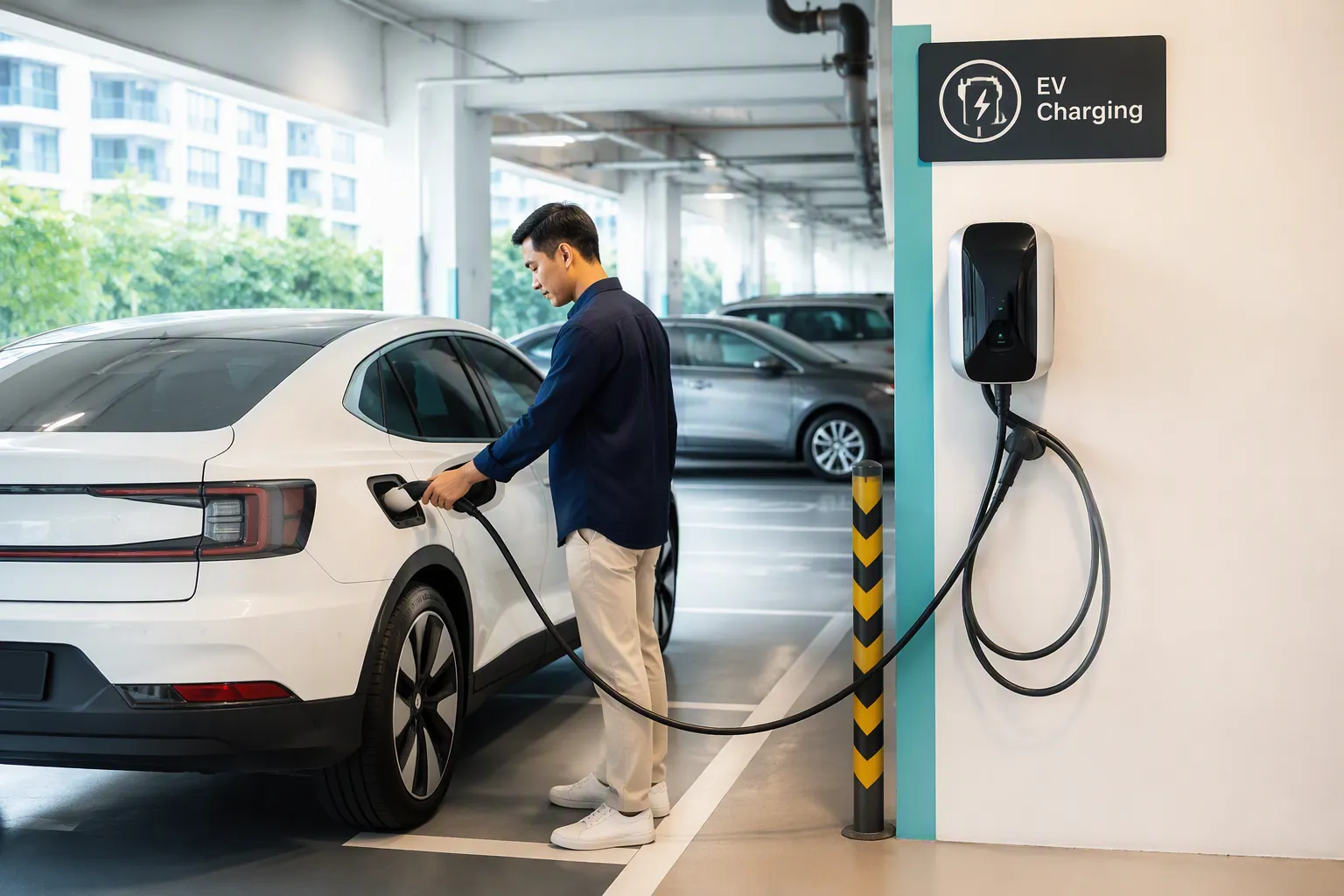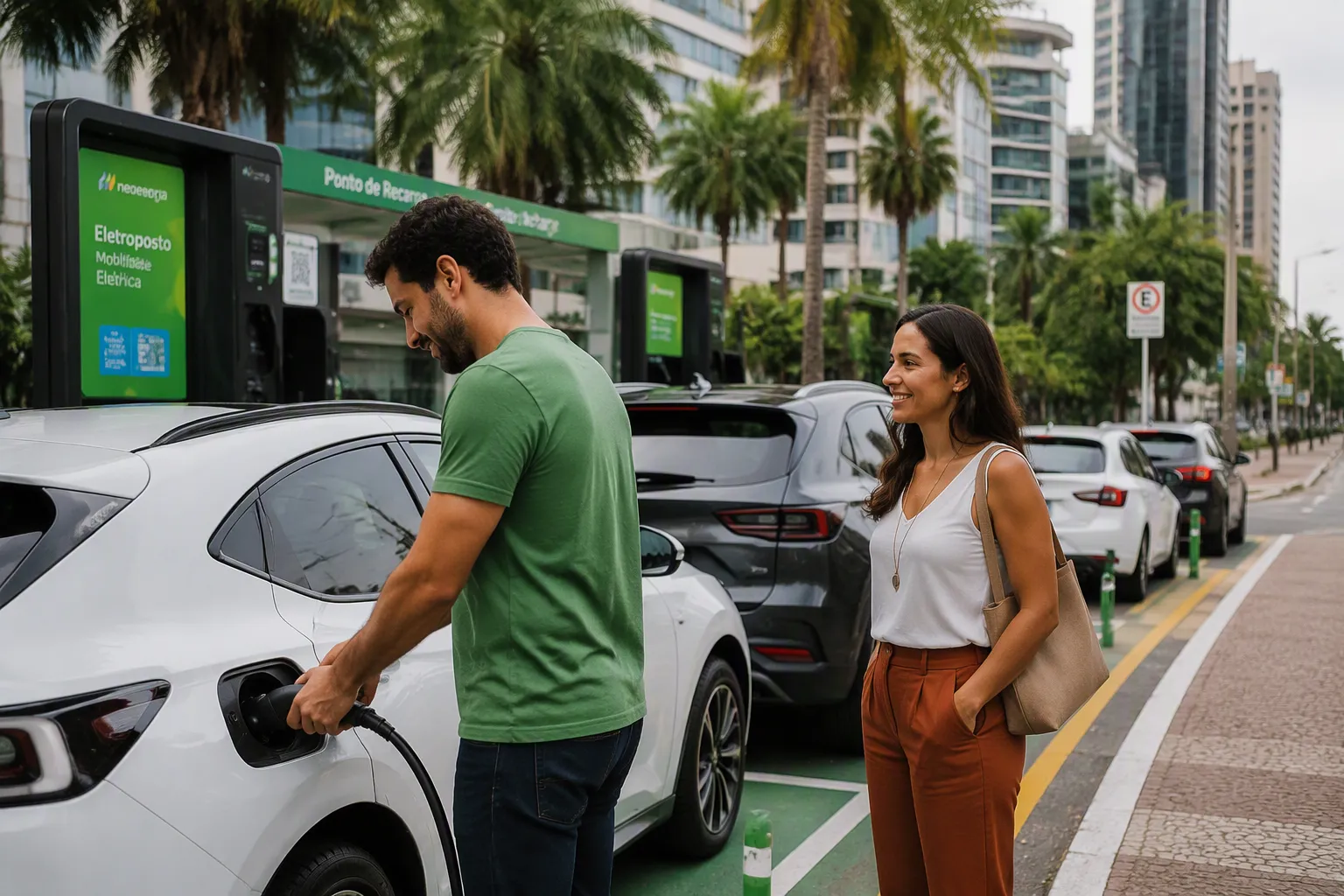
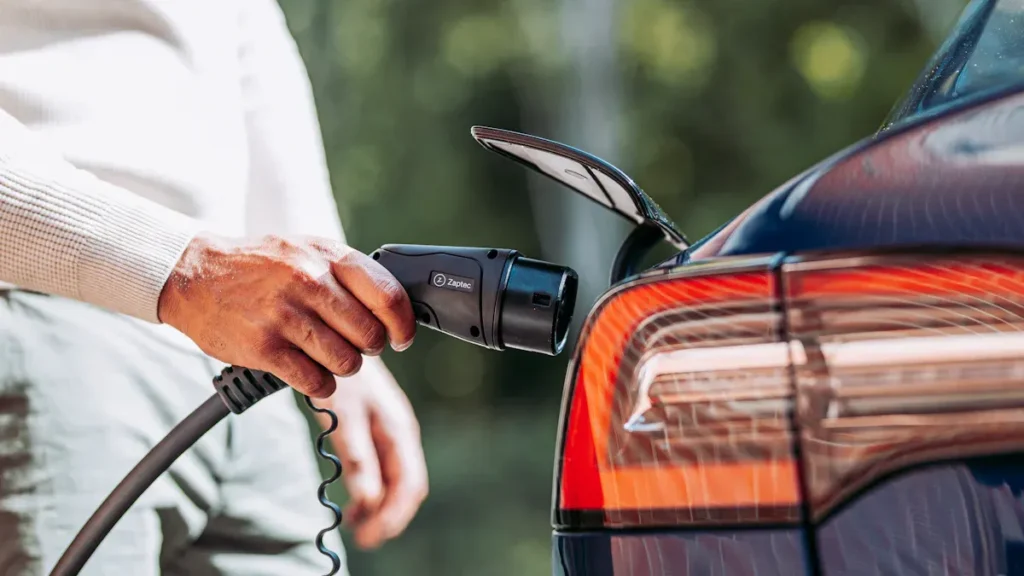
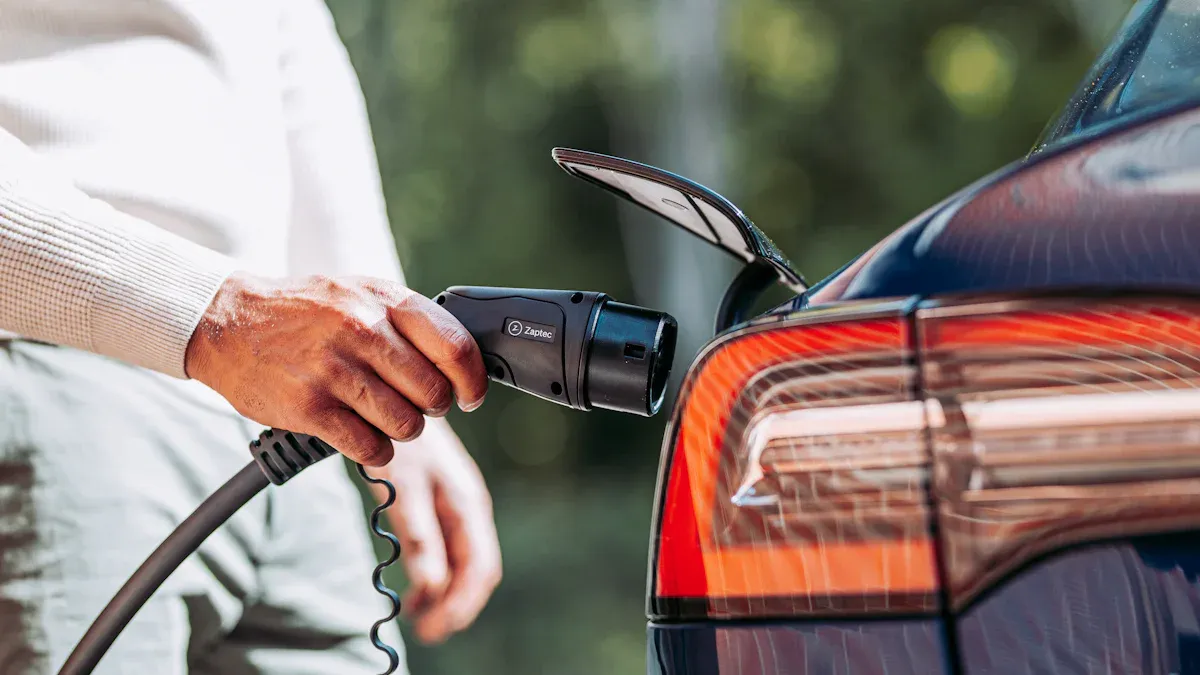
L'utilisation des bornes de recharge publiques pour véhicules électriques suit un processus simple en quatre étapes. Un conducteur doit se garer, brancher le véhicule, autoriser le paiement et lancer la recharge. Bien que la majorité des propriétaires de véhicules électriques effectuent leur recharge principale à domicile, la recharge publique est essentielle pour les 16% qui dépendent d'autres méthodes. Le réseau européen devrait doubler pour atteindre deux millions de points de recharge d'ici 2029. Technologiquement avancé Fabricants de chargeurs de VE, comme TPSON, fournissent les Solutions de recharge pour véhicules électriques rendant cette croissance possible. Les spécificités d'utilisation d'une Chargeur de VE varient, qu'il s'agisse d'une borne fixe ou de l'un des nombreux chargeurs portables pour VE, mais le processus fondamental de recharge électrique reste simple.
Premièrement, comprendre les types de bornes de recharge pour VE

Avant qu'un conducteur ne branche son véhicule, il doit comprendre les trois principaux niveaux de recharge disponibles. Chaque niveau offre une vitesse différente et est adapté à différentes situations. Connaître la différence garantit une expérience de recharge efficace et économique.
Bornes de Niveau 1 : Lentes et régulières
Ce qu'elles sont
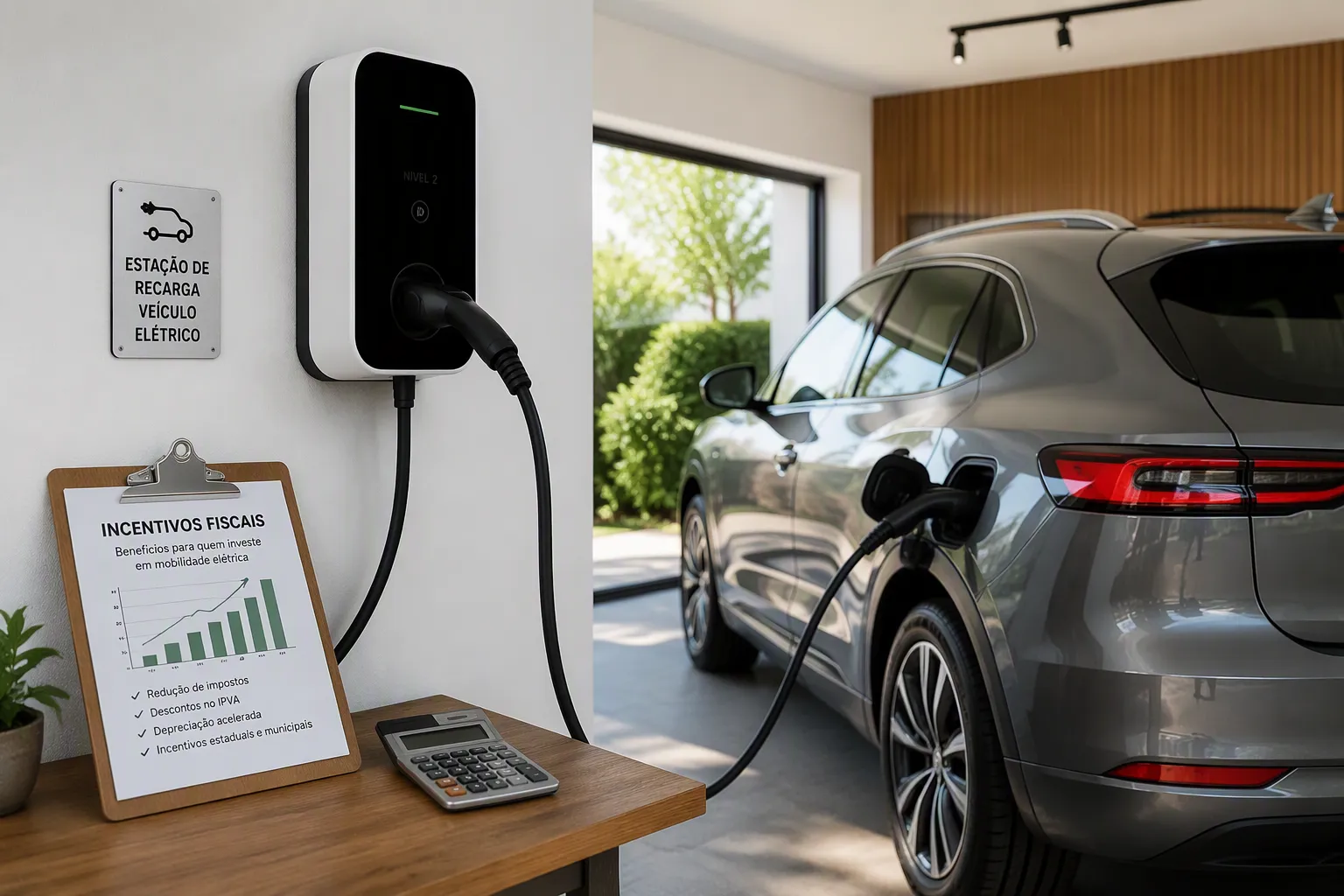
La recharge de niveau 1 est la méthode la plus basique disponible. Ce type de borne utilise une prise électrique domestique standard pour alimenter un véhicule électrique. Elle délivre une charge lente et régulière avec une puissance de sortie allant généralement de 1,4 kW à 3 kW. Cela se traduit par l'ajout d'environ 8-10 miles d'autonomie par heure de recharge, ce qui en fait une solution pratique pour une recharge nocturne.
Où les trouver
Les bornes de niveau 1 se trouvent principalement dans des environnements résidentiels comme les maisons individuelles et les garages. Elles ne sont pas courantes pour la recharge publique en raison de leur lenteur. Un conducteur peut occasionnellement en trouver sur son lieu de travail offrant des équipements de recharge basiques, mais elles ne constituent pas un élément principal de l'infrastructure publique.
Bornes de Niveau 2 (AC) : La norme publique
La borne publique la plus courante
Le niveau 2 est le type le plus répandu dans les stations de recharge publiques. Ces bornes fournissent du courant alternatif (AC), que le chargeur embarqué du véhicule électrique convertit ensuite en courant continu (DC) pour le stocker dans la batterie. Des fournisseurs technologiquement avancés comme TPSON conçoivent les solutions fiables de niveau 2 qui forment l'épine dorsale de ce réseau. Les puissances de sortie pour une borne de niveau 2 vont généralement de 3,7 kW à 22 kW, avec 7-11 kW étant les plus courants pour les installations publiques.
Vitesse de recharge et cas d'utilisation optimaux
Une borne de niveau 2 est nettement plus rapide que le niveau 1, ce qui la rend idéale pour la “recharge de destination”. Les conducteurs les utilisent dans des endroits où ils prévoient de se garer pendant une heure ou plus.
- Lieux de travail : Recharger pendant la journée de travail.
- Centres commerciaux : Gagner de l'autonomie pendant les courses.
- Restaurants et Hôtels : Recharger une voiture électrique pendant la nuit ou un repas.
Bornes de recharge rapide DC (Niveau 3) : L'option la plus rapide
La méthode la plus rapide pour recharger une voiture électrique
Chargeurs rapides à courant continu, également connues sous le nom de niveau 3, offrent l'expérience de recharge la plus rapide pour voiture électrique. Elles fournissent du courant continu (DC) haute tension directement à la batterie, contournant le chargeur embarqué plus lent du véhicule. Cette méthode permet une recharge rapide, avec des puissances de sortie allant de 50 kW à 350 kW impressionnants dans les stations de recharge ultra-rapides pour VE.
Quand utiliser un chargeur rapide en courant continu
Une borne de recharge rapide DC est idéale pour les longs trajets ou lorsqu'un conducteur a besoin d'une autonomie importante en peu de temps. Une session de 20 à 40 minutes peut souvent ajouter des centaines de kilomètres. Cependant, les performances peuvent varier.
Conseil de pro : La température affecte les vitesses de recharge rapide DC. Le système de gestion de la batterie d'un véhicule électrique ralentira le taux de charge par grand froid pour protéger la chimie de la batterie. De même, il limitera la vitesse en cas de chaleur intense pour éviter la surchauffe. La station est conçue pour des performances optimales par temps doux.
Adapter le connecteur à votre voiture

Une expérience de recharge publique réussie dépend de l'adaptation du connecteur de la borne au port de recharge du véhicule. Bien que cela puisse sembler complexe, l'Amérique du Nord s'est largement standardisée autour de quelques types clés. Comprendre celui que sa voiture électrique utilise est une étape fondamentale pour tout conducteur.
Identifier le port de recharge de votre VE
Le port de recharge d'un véhicule électrique est sa porte d'accès à l'énergie. Les conducteurs doivent connaître leur type de connecteur spécifique pour sélectionner la bonne borne et commencer à recharger.
Le connecteur J1772 (Recharge AC)
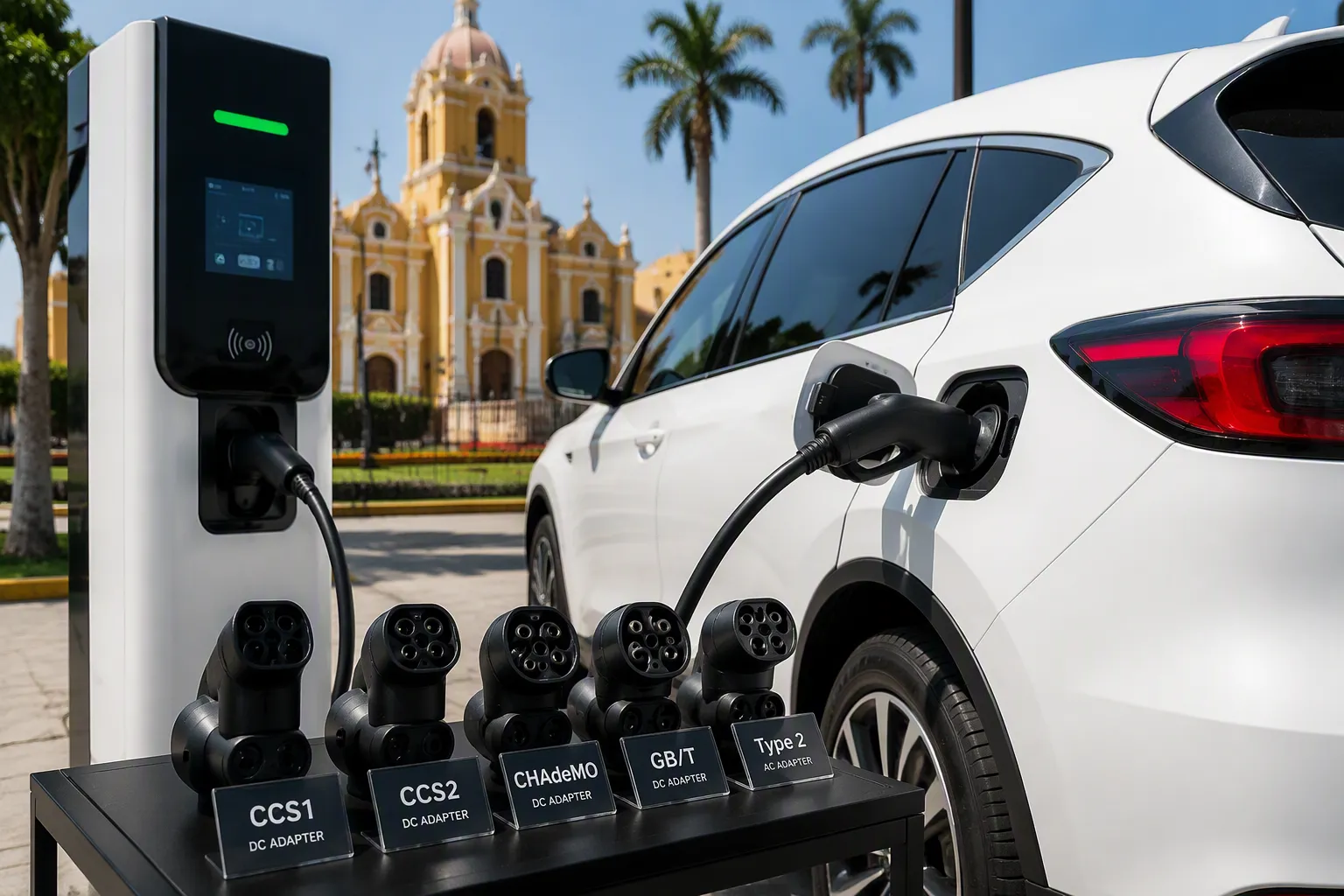
Le connecteur J1772, ou Type 1, est la norme établie pour la recharge AC de niveau 1 et 2 à travers l'Amérique du Nord. Des grandes marques comme Ford, Volkswagen, BMW, Hyundai et Kia équipent leurs véhicules électriques de ce port. La fiche J1772 elle-même est la partie supérieure, circulaire, du connecteur CCS plus courant, dédiée uniquement à la recharge AC.
Le connecteur Combined Charging System (CCS)
Le connecteur CCS est la norme la plus répandue pour les nouveaux véhicules électriques. Il combine astucieusement le port J1772 pour la recharge AC avec deux grandes broches en dessous pour la recharge rapide DC haute vitesse. Cette conception intégrée permet à un conducteur d'utiliser un seul port à la fois pour la recharge lente de destination et la recharge rapide en déplacement.
Le connecteur CHAdeMO
CHAdeMO est un connecteur de recharge rapide DC développé au Japon. On le trouve principalement sur les anciens modèles de certains constructeurs, notamment la Nissan LEAF. Bien qu'il s'agisse d'une norme efficace pour la recharge rapide, elle devient moins courante sur les nouveaux modèles électriques sur le marché nord-américain, le CCS prenant le dessus.
Le connecteur Tesla (NACS)
Tesla a développé sa propre fiche propriétaire, maintenant appelée North American Charging Standard (NACS). Ce connecteur unique et compact gère à la fois la recharge AC et DC pour les véhicules Tesla. De nombreux autres constructeurs automobiles ont annoncé des plans pour adopter cette norme, ce qui la rend de plus en plus importante dans le paysage des véhicules électriques.
Avez-vous besoin d'un adaptateur de recharge ?
Parfois, un conducteur arrive à une station pour constater que la prise de recharge disponible ne correspond pas au port de sa voiture. Dans ces situations, un adaptateur de recharge est un outil essentiel.
Quand un adaptateur peut être nécessaire
Un conducteur de véhicule électrique a besoin d'un adaptateur lorsque le type de connecteur de son véhicule est incompatible avec la prise de la borne de recharge. Cette incompatibilité empêche la connexion physique nécessaire pour démarrer la session de recharge. Avoir le bon adaptateur garantit au conducteur l'accès à un plus large éventail d'options de recharge.
Types d'adaptateurs courants
Différents scénarios nécessitent des adaptateurs spécifiques pour combler l'écart entre la voiture et le chargeur. Les solutions de recharge technologiquement avancées de fournisseurs comme TPSON respectent souvent les normes les plus courantes, mais les adaptateurs offrent une flexibilité cruciale.
Scénarios courants nécessitant un adaptateur :
- J1772 vers Tesla (NACS) : Les véhicules Tesla incluent souvent cet adaptateur, leur permettant d'utiliser n'importe quelle borne de recharge de niveau 2 standard.
- Tesla (NACS) vers CCS : Un nombre croissant d'adaptateurs tiers permettent aux véhicules électriques non-Tesla d'utiliser le réseau Superchargeur de Tesla.
- CHAdeMO vers Tesla (NACS) : Cet adaptateur permet aux véhicules équipés de CHAdeMO d'accéder à certaines stations de recharge Tesla.
Comment recharger votre voiture électrique sur une borne de niveau 2
Niveau 2 Les bornes de niveau 2 sont les chevaux de bataille de l'infrastructure de recharge publique. Maîtriser leur utilisation est une compétence clé pour tout propriétaire de véhicule électrique. Ce guide sur comment recharger votre voiture électrique dans une station publique décompose le processus en étapes simples et gérables.
Étape 1 : Se garer et se préparer
Une bonne préparation avant de brancher assure une session de recharge fluide et sans problème. Les premières actions du conducteur préparent le terrain pour la réussite.
Positionner son véhicule
Un conducteur doit d'abord identifier l'emplacement du port de recharge de son véhicule électrique. Il peut être à l'avant, à l'arrière ou sur le côté. Il doit se garer suffisamment près pour que le câble de la station atteigne le port sans être tendu. Se garer en marche arrière est souvent plus facile que de rentrer en marche avant, selon la voiture et la configuration de la station.
Déverrouiller le port de recharge
La plupart des véhicules électriques nécessitent que le conducteur déverrouille la voiture pour ouvrir la trappe du port de recharge. Certains ont un bouton dédié sur le tableau de bord ou la télécommande, tandis que d'autres s'ouvrent en appuyant simplement sur la trappe elle-même. Une fois ouvert, le port est prêt à recevoir le connecteur pour la recharge.
Étape 2 : Connecter le câble
Avec le véhicule en position, l'étape suivante consiste à établir la connexion physique. Le type de câble disponible — attaché ou non — détermine la procédure exacte.
Utiliser un câble attaché
La plupart des bornes publiques de niveau 2 ont un câble attaché, c'est-à-dire qu'il est fixé en permanence à l'unité. Le conducteur déroule simplement le câble et enfonce fermement le connecteur dans le port de son véhicule électrique. Un clic distinct confirme généralement une connexion sécurisée. Le véhicule ou la station affiche souvent un témoin lumineux indiquant que la connexion est réussie et prête pour l'étape suivante de la recharge.
Résoudre les défauts de connexion
Si la recharge ne démarre pas, le conducteur doit vérifier la présence d'un message d‘’ Erreur de connexion » sur le tableau de bord du véhicule. Cela peut indiquer une mauvaise connexion ou un câble endommagé. Le conducteur doit inspecter le connecteur pour déceler une isolation décolorée ou des débris et s'assurer qu'il est bien enfoncé. Si le problème persiste, se déplacer vers une autre station est la meilleure solution.
Utiliser son propre câble
Moins courantes dans les espaces publics, certaines bornes de niveau 2 sont des prises “ non attachées ”. Elles nécessitent que le conducteur utilise son propre câble Type 2 vers Type 2 (ou le câble approprié pour sa région). Le processus consiste à brancher une extrémité du câble dans la borne et l'autre dans la voiture électrique.
Étape 3 : Autoriser le paiement et démarrer la recharge
Après avoir connecté le câble, le conducteur doit autoriser la session. Cette étape initie le flux d'électricité et est généralement gérée via une application de réseau, un lecteur de carte bancaire ou une carte RFID. C'est une partie critique du processus de recharge d'une voiture électrique.
Payer avec une application de réseau
De nombreux réseaux de recharge, y compris ceux utilisant des solutions avancées de fournisseurs comme TPSON, s'appuient sur des applications smartphone pour l'activation. Le processus est simple :
- Ouvrir l'application du réseau (par ex., PlugShare, ChargePoint, ou l'application Tesla pour son réseau).
- Localiser la station spécifique sur la carte de l'application, souvent en entrant un numéro d'ID de station imprimé sur l'unité.
- Sélectionner le numéro de connecteur correct.
- Appuyer sur le bouton “ Démarrer la recharge ” dans l'application pour commencer la session.
Utiliser un lecteur de carte bancaire
Un nombre croissant de stations sont équipées de terminaux de paiement sans contact. Cette méthode offre une grande commodité aux conducteurs qui peuvent ne pas avoir l'application spécifique du réseau. L'utilisateur tape simplement sa carte de crédit, sa carte de débit ou son smartphone (en utilisant Apple Pay ou Google Pay) sur le lecteur pour autoriser le paiement et démarrer le processus de recharge.
Apposition d'une carte RFID
Certains conducteurs préfèrent utiliser une carte RFID spécifique à un réseau de recharge. Ces cartes sont liées au compte de l'utilisateur. Taper la carte sur le lecteur désigné de la station authentifie instantanément l'utilisateur et démarre la session de recharge, sans avoir besoin d'utiliser une application smartphone.
Que faire si la recharge ne démarre pas ? Parfois, une session échoue à démarrer en raison d'une erreur de communication entre la voiture, la station et le réseau. Ces problèmes liés au logiciel sont courants mais souvent faciles à résoudre.
Type d'erreur Message affiché Résolution Délai de communication dépassé “ Échec de la négociation ” Débrancher, attendre un moment et réessayer la connexion. Défaut d'authentification “ Paiement refusé ” Vérifier le mode de paiement dans l'application et réessayer. Panne réseau “Statut ” Hors ligne » La station a perdu sa connexion Internet ; essayer une autre station. Si une erreur persiste, une réinitialisation logicielle en débranchant le chargeur pendant 30 secondes ou en contactant le numéro d'assistance du réseau peut souvent résoudre le problème.
Étape 4 : Surveiller et terminer votre session
Une fois la session de recharge commencée, les dernières tâches du conducteur sont de surveiller la progression et de terminer la session correctement. Une gestion appropriée garantit que le véhicule reçoit l'énergie nécessaire et libère la station pour l'utilisateur suivant.
Checking Charge Status
Drivers can track their vehicle’s charging progress in several ways. The most immediate method is checking the car’s dashboard display or the screen on the charging station itself. These sources typically show the current battery percentage and estimated time remaining.
For remote monitoring, many drivers use dedicated smartphone applications. Smart chargers, including advanced solutions from providers like TPSON, often have built-in connectivity. This feature sends real-time data to a cloud platform, allowing for remote access. Drivers can use an app to:
- Remotely start, stop, and track charging sessions.
- Receive instant updates on the current charging status and energy usage.
- View real-time data on energy consumption and associated costs.
- Get performance alerts for any potential malfunctions.
This remote capability gives a driver the freedom to leave the vehicle without losing oversight of the charging process.
How to Stop Charging and Unplug
Ending a session properly is crucial for safety and good etiquette. A driver should follow a simple procedure once the vehicle has a sufficient charge.
Conseil de pro : Most electric vehicles have a setting to stop charging at a specific percentage, often 80% or 90%. A driver can use this feature to prevent overcharging and automatically prepare the car for unplugging.
Here is the correct procedure for safely stopping a charge and unplugging:
- Arrêter la session : A driver must first end the charging session. They can do this through the same method used to start it, such as tapping the “Stop” button in the network app, using the station’s touchscreen, or swiping their RFID card again.
- Unlock and Unplug: The driver then unlocks the vehicle’s charging port. Most cars require this step to release the lock that holds the connector in place. They can then firmly pull the connector out of the port.
- Stow the Cable: The driver should return the tethered cable to its holder on the station. This action keeps the cable off the ground, preventing damage and tripping hazards. If they used their own cable, they should place it back in their vehicle.
- Move the Vehicle: A driver should move their car from the space as soon as possible. This courtesy makes the station available for the next person needing a charge.
How to Use a DC Fast Charging Station
Utiliser un Chargeur rapide DC is the quickest way to add significant range to an electric vehicle, making it essential for long-distance travel. The process is similar to using a Level 2 station but involves higher power and a few unique considerations. A driver can master this rapid charging method by following a few key steps.
Step 1: Park and Select the Right Connector
Finding the Correct Tethered Cable
DC fast charging stations are always equipped with thick, permanently attached (tethered) cables. These units typically have at least two cables to support different standards, such as CCS and CHAdeMO. A driver must first identify which connector their electric vehicle uses and select the corresponding cable. The heavy nature of these cables means a driver should park close to the unit, ensuring the plug can reach the car’s port without strain.
Garantir une connexion sécurisée
A secure physical connection is critical for the high-power communication required for DC fast charging. The driver should plug the connector firmly into the vehicle’s port until it clicks into place. A locking pin will engage to hold the heavy plug securely. A failed connection can prevent the charging session from starting.
Troubleshooting Tip: Why Won’t My DC Charge Start? A “handshake” failure between the car and the charger can occur for several reasons. If charging doesn’t initiate, a driver might check for these common issues:
- Physical Plug Issues: The heavy CCS plug may not be fully inserted, or its weight might pull it slightly out of the socket.
- Dirty Contacts: Debris in the smaller data pins of the connector can block the communication signal.
- Locking Pin Failure: The station’s locking pin might fail to retract, preventing the plug from seating correctly.
- Communication Errors: Problems with the Power Line Communication (PLC) technology, which sends data over the charging cable, can stop the session before it starts.
Step 2: Authorize and Initiate Charging
Following On-Screen Instructions
Once the electric vehicle is connected, the charger’s screen will guide the driver through the next steps. These on-screen prompts are typically clear and straightforward, asking the driver to select a payment method to begin the electric car charging session. The screen will display the status throughout the charging process.
Payment via App, Card, or Plug & Charge
Authorization for DC fast charging works much like Level 2, but with an additional, highly convenient option.
- App or RFID Card: A driver can use the network’s specific mobile app or RFID card to select the charger and start the session.
- Carte de crédit : Many modern charging stations include a contactless terminal for simple tap-to-pay with a credit card or smartphone.
- Plug & Charge: The most seamless method is Plug & Charge. This technology, based on the ISO 15118 standard, automates the entire process. The electric vehicle securely communicates its identity and payment information directly to the charger upon connection. Technologically advanced providers like TPSON engineer solutions compatible with these forward-thinking protocols.
Comment fonctionne Plug & Charge
The ISO 15118 protocol uses digital certificates stored in the electric vehicle to create a secure identity. When a driver plugs in, the charger automatically authenticates the vehicle, verifies the associated payment contract through a secure backend, and begins charging without any manual input from the driver.
Step 3: The 80% Rule for Fast Charging
Understanding how a battery accepts a charge is key to efficient rapid charging. A driver should not plan to charge to 100% at a DC fast charger. The “80% rule” is a guideline that saves both time and money while protecting the vehicle’s battery.
Why Charging Speed Slows Down
An electric vehicle’s battery cannot accept maximum power throughout the entire charging cycle. The rate of charging is represented by a “courbe de charge,” which shows that power delivery is highest when the battery is at a low state of charge. As the battery fills, its internal resistance increases, and the vehicle’s battery management system reduces the charging speed to prevent overheating and cell damage. This tapering effect becomes very noticeable after the battery reaches approximately 80% capacity.
When to Unplug and Move On
The significant slowdown after 80% means the time it takes to charge from 80% to 100% can be as long as it took to charge from 20% to 80%. For this reason, continuing a rapid charging session beyond 80% is inefficient.
Pro Tip: Protect Your Battery Frequent DC fast charging to 100% can accelerate battery degradation over time. The high heat and voltage place stress on the battery cells. For optimal battery longevity, experts recommend:
- Limiting DC fast charging sessions to 80% capacity whenever possible.
- Maintaining a regular state of charge entre 20 % et 80 %.
- Relying on slower AC charging for routine, full charges.
By unplugging at 80%, a driver gets back on the road faster and helps preserve the long-term health of their electric vehicle’s battery.
Step 4: Ending Your Fast Charge Session
A driver’s final actions at a DC fast charger are just as important as the initial steps. Properly ending the session ensures the vehicle is safely disconnected and the station is left ready for the next user. This part of the charging process is simple but requires attention to detail.
Stopping the Charge via the Station or App
Before a driver can unplug the heavy connector, they must first terminate the flow of electricity. The vehicle’s systems lock the connector in place during a high-power charging session for safety. A driver must command the station to stop the session to release this lock.
A user can stop the session using the same method they used to start it:
- Station Interface: Press the “Stop” or “End Session” button on the charger’s touchscreen.
- Application mobile : Open the corresponding network app and tap the command to end the current charging session.
- Carte RFID : Tap the RFID card on the reader a second time to terminate the connection.
Once the station confirms the session has ended, the driver can unlock their car. This action typically signals the vehicle to retract the locking pin, releasing the connector.
Properly Stowing the Heavy Cable
The thick, liquid-cooled cables at DC fast charging stations are heavy and expensive components. A driver has a responsibility to handle them with care. Leaving a cable on the ground creates a serious tripping hazard and exposes the connector to dirt, moisture, and potential damage from being run over.
Best Practices for Cable Handling
Proper cable management protects the equipment and shows courtesy to other EV drivers. A driver should always follow these simple steps.
| Étape | Action | Objectif |
|---|---|---|
| 1. Unplug | Firmly grip the connector handle and pull it straight out from the vehicle’s port. | Safely disconnects the vehicle after the charging session is stopped. |
| 2. Retract | If the cable has a retraction mechanism, guide it back toward the station. | Prevents the cable from snapping back uncontrollably. |
| 3. Holster | Securely place the connector back into its designated holster on the charging unit. | Protects the plug from weather and damage while keeping the area tidy. |
Following this procedure ensures the station remains in good working order. Technologically advanced providers like TPSON design robust charging solutions, but user care is essential for maintaining the public infrastructure. A tidy charging space contributes to a positive experience for the entire EV community.
Finding and Paying for Public Electric Vehicle Charging
An EV driver needs to know how to find and pay for public electric vehicle charging. Locating available charging points and understanding the payment options are essential skills. This knowledge ensures a driver can keep their electric vehicle powered up on any journey.
How to Find EV Charging Stations Near You
Finding nearby charging points is simpler than ever. A driver has several tools at their disposal to locate the right station for their needs. Knowing how to find electric car charging points is a key part of the electric vehicle experience.
Using Your Car’s Built-In Navigation
Most modern electric vehicles come equipped with a built-in navigation system that includes a map of charging points. This integrated tool is often the most convenient option. The system can show nearby stations, and in many cases, it can display real-time availability. Some advanced systems will even precondition the battery as the car approaches a selected DC fast charger, optimizing the charging speed upon arrival.
Top Charging Station Locator Apps
Smartphone apps are a powerful resource for locating charging points. They provide comprehensive details that a car’s navigation might miss. Many apps also facilitate payment, making the entire process seamless.
Top Apps for Finding Charging Points:
- Zap-Map: This popular app offers a detailed map of public charging points. A driver can filter by connector type, network, and payment method. The premium version integrates with Apple CarPlay and Android Auto.
- PlugShare : Known for its extensive global coverage, PlugShare provides a user-friendly map of EV charging stations worldwide. It includes helpful user reviews and photos of the charging points.
- BP Pulse: This app is essential for drivers who frequently use one of the UK’s largest networks. It helps locate BP chargers and allows for in-app payments, with a subscription option for lower rates.
Filtering for the Right Connector and Speed
Using filters is crucial for an efficient search. A driver should always filter results to match their vehicle’s specific needs. Key filters include:
- Type de connecteur : Select CCS, CHAdeMO, or Type 2 to see only compatible stations.
- Vitesse de chargement : Filter for Level 2 (AC) or DC fast charging depending on the required speed.
- Réseau : If a driver has a membership with a specific provider, they can filter to see only that network’s charging points.
How to Pay for Your Charge
Payment methods for public charging vary across different networks and locations. A driver can choose from pay-as-you-go options, network-specific apps, or subscription plans.
Pay-As-You-Go with a Credit Card
Many charging stations now feature contactless credit card readers. This method is the most straightforward for casual users. A driver simply taps their credit or debit card to start and stop the charging session. It offers maximum flexibility without requiring any app downloads or memberships.
Utiliser les applications des réseaux de recharge
Most charging networks operate through a dedicated smartphone app. A driver links a payment method to their account within the app. To start a session, they use the app to select the station and authorize the charging. This method often provides detailed session information and receipts. Technologically advanced providers like TPSON engineer solutions that integrate smoothly with these network apps.
Subscription Plans and Memberships
For drivers who rely heavily on public charging, a subscription plan can be cost-effective. Networks like BP Pulse offer memberships that provide access to lower charging rates for a monthly or annual fee.
Comparing Payment Models
A driver must weigh the pros and cons of subscriptions versus pay-per-charge. A subscription offers predictable costs and lower rates, but it comes with a fixed commitment and may limit a driver to a single network.
| Fonctionnalité | Plans d'abonnement | Pay-Per-Charge |
|---|---|---|
| Coût | Lower per-kWh rates but includes a monthly fee. | Higher per-kWh rates but no fixed commitment. |
| Flexibilité | Often limited to a single provider’s network. | Freedom to use any network with a compatible payment method. |
| Meilleur pour | Frequent users of a specific public charging network. | Drivers who primarily charge at home and use public stations occasionally. |
For example, a BP Pulse membership costs £7.85 per month, which reduces the per-kWh rate. A driver must calculate if their usage justifies the annual cost.
What to Expect: Cost, Speed, and Etiquette
A driver’s experience with public charging depends on three key factors: cost, speed, and community etiquette. Understanding these elements helps manage expectations and ensures a smooth process at all charging points.
Combien coûte la recharge publique ?
La question “combien coûte la recharge d’une voiture électrique ” n’a pas de réponse unique. Les structures tarifaires varient selon les réseaux et les types de borne.
Tarification au kilowattheure (kWh)
Le modèle tarifaire le plus courant facture l’utilisateur pour la quantité d’énergie délivrée au véhicule électrique. Pour la recharge publique de niveau 2, le coût se situe généralement entre 0,20 € et 0,30 € par kilowattheure. La recharge rapide à courant continu (DC) est généralement plus chère, coûtant entre 0,30 € et 0,60 € par kWh en raison de la puissance plus élevée et des coûts d’infrastructure.
Tarification à la minute
Certains réseaux, notamment pour la recharge rapide, facturent à la minute. Ce modèle fait payer le temps de connexion du véhicule à la borne, indépendamment de l’énergie consommée. Il incite les conducteurs de voitures à recharge rapide à libérer les bornes.
Frais de session et frais d'inactivité
Les réseaux peuvent ajouter des frais fixes pour démarrer une session ou imposer des frais d’inactivité. Il est toujours recommandé de vérifier la politique en matière de frais d’inactivité, car de nombreux réseaux appliquent des pénalités si un véhicule reste branché après la fin de la recharge.
L’objectif des frais d’inactivité
- Ils sont facturés lorsqu’une voiture reste connectée après que sa batterie est pleine.
- Leur but est d’inciter les utilisateurs à débrancher et à libérer la borne.
- Ils aident à maximiser la disponibilité des points de recharge pour tous.
Combien de temps dure la recharge d’une voiture électrique ?
La question “La durée de recharge d’une voiture électrique dépend de plusieurs facteurs. La puissance de la borne et les capacités du véhicule sont les plus déterminants.
Facteurs affectant la vitesse de chargement
La batterie d’un véhicule électrique se recharge plus lentement par temps froid. Les batteries lithium-ion fonctionnent de manière optimale entre 20°C et 25°C. 20 °C et 25 °C. À des températures plus basses, la chimie interne de la batterie ralentit, réduisant sa capacité à accepter une charge et prolongeant le temps de recharge global.
Temps estimés : Borne de niveau 2 vs. Borne rapide DC
Une borne de niveau 2 peut prendre plusieurs heures pour recharger complètement un véhicule électrique, ce qui la rend idéale pour les recharges nocturnes. En revanche, une borne rapide de 50 kW peut amener un VE à 80 % en environ 30 à 60 minutes. 30 à 60 minutes. Les bornes ultra-rapides de 150 kW et plus peuvent souvent réaliser la même opération en 15 à 30 minutes.
| Type de chargeur | Temps de recharge typique (20 % à 80 %) |
|---|---|
| 50 kW (Borne rapide) | 30-60 minutes |
| 150 kW+ (Borne ultra-rapide) | 10-30 minutes |
Étiquette de base en matière de charge
Une bonne étiquette aux stations de recharge pour VE garantit une expérience positive pour toute la communauté. Suivre quelques règles simples améliore la recharge publique pour tous les conducteurs.
Ne vous garez pas sur une place de recharge si vous ne rechargez pas
Une place de recharge est réservée à la recharge active d’un véhicule électrique. Les conducteurs de voitures thermiques ne doivent jamais s’y garer. De même, un conducteur de véhicule électrique ne doit pas utiliser la place pour se stationner s’il n’a pas l’intention de recharger.
Déplacez votre voiture une fois le travail terminé
Une fois le véhicule suffisamment rechargé, le conducteur doit le déplacer. Cette courtoisie libère la borne pour la personne suivante. S’attarder, surtout dans les stations de recharge fréquentées, est malvenu.
Garder la zone de recharge en ordre
Un conducteur doit toujours remettre le câble de recharge dans son support après utilisation. Laisser un câble au sol crée un risque de trébuchement et peut endommager l’équipement coûteux. Un espace bien rangé contribue à une meilleure expérience pour tous les utilisateurs de l’infrastructure de recharge publique.
La confiance d’un conducteur aux stations de recharge pour VE grandit avec l’expérience. Le processus de recharge publique est fondamentalement simple. La plupart des bornes de recharge nécessitent de suivre une séquence universelle. Maîtriser l’utilisation de n’importe quelle borne implique quatre actions clés :
- Se garer correctement.
- Brancher fermement le connecteur.
- Payer pour autoriser la session.
- Lancer la recharge de la batterie.
Avec un peu de pratique, tout conducteur peut gérer ses aventures électriques en toute simplicité, rechargeant comme un professionnel où qu’il aille.
FAQ
Peut-on recharger une voiture électrique sous la pluie en toute sécurité ?
Oui, recharger un véhicule électrique sous la pluie est parfaitement sûr. Les bornes et connecteurs de recharge pour VE sont conçus avec une étanchéité robuste pour éviter les courts-circuits. Un conducteur peut brancher son véhicule en toute confiance, quelles que soient les conditions météorologiques.
Que doit faire un conducteur si une borne de recharge est en panne ?
Un conducteur qui trouve une borne défectueuse doit d’abord essayer une autre unité si disponible. Il doit également signaler le problème à l’opérateur du réseau en utilisant le numéro de contact sur la borne ou via l’application. Cette action contribue à faire réparer la borne pour les futurs utilisateurs.
Pourquoi certaines bornes rapides DC ont-elles deux câbles différents ?
Les bornes rapides DC ont souvent deux câbles pour supporter différents standards de recharge, tels que CCS et CHAdeMO. Un conducteur doit choisir le câble dont le connecteur correspond au port de recharge DC spécifique de son véhicule pour initier une session.
La recharge rapide DC fréquente endommage-t-elle la batterie ?
Utiliser régulièrement des bornes de recharge rapide DC peut accélérer la dégradation de la batterie à long terme en raison de la chaleur et de la tension élevées. Pour une santé optimale de la batterie, un conducteur devrait privilégier la recharge AC plus lente pour les besoins quotidiens et réserver la recharge rapide pour les longs trajets.
Quelle est la différence entre un chargeur connecté et un chargeur non connecté ?
- Câble fixe (Tethered) : Le câble de recharge est fixé en permanence à la borne. Le conducteur branche simplement le connecteur attaché à sa voiture.
- Câble détachable (Untethered) : La borne n’est qu’une prise. Le conducteur doit utiliser son propre câble portable pour connecter son véhicule au point de recharge.
Un conducteur peut-ils utiliser n’importe quel réseau de recharge avec n’importe quel VE ?
Un conducteur peut utiliser la plupart des réseaux si sa voiture a un connecteur compatible et qu’il dispose d’un moyen de paiement valide. Cependant, certains réseaux nécessitent une application ou un abonnement spécifique. Des fournisseurs technologiquement avancés comme TPSON conçoivent des solutions qui soutiennent les standards ouverts pour une accessibilité plus large.